
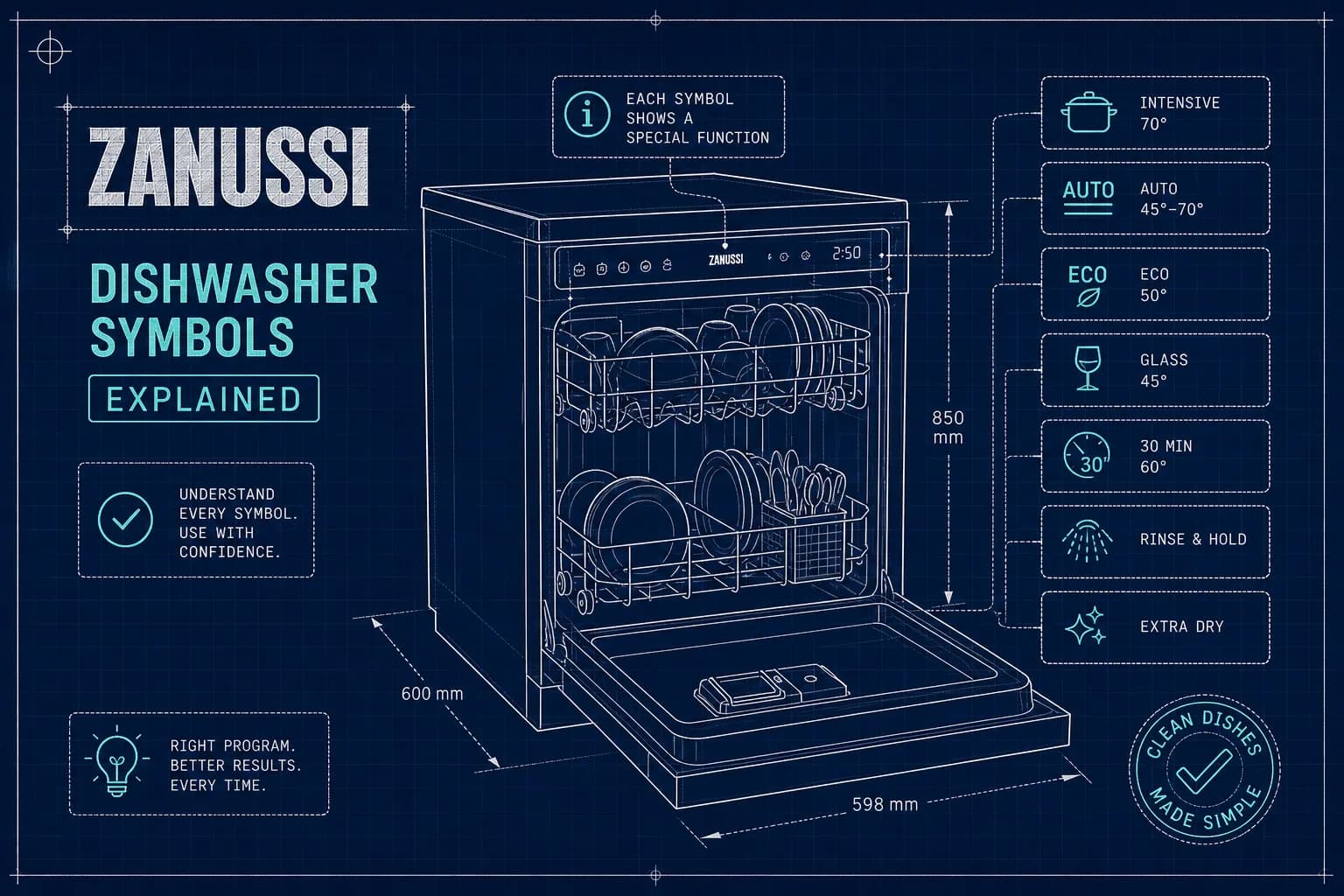
Zanussi Dishwasher Symbols Explained: Full Guide
You load the dishwasher, press Start, and then, nothing. Or worse, a light starts blinking on the control panel and you have absolutely no idea what it is trying to tell you. If you own a Zanussi dishwasher, understanding Zanussi dishwasher symbols is the quickest way to go from confused to in control. The icons on the control panel can look cryptic at first glance, and the manual is rarely within arm's reach when you actually need it. At Alpha Appliances Ltd, our engineers across London and the South of England regularly receive calls from Zanussi owners puzzled by exactly these icons. Many common issues can be resolved with a few basic checks. Occasionally, they cannot. This guide tells you which is which.
By the time you have finished reading, you will know what each common symbol means, what action to take, and when to stop troubleshooting and ring a certified engineer.
Zanussi dishwasher symbols: the icons your machine shows most often
According to Zanussi manuals, many of the lights that appear on a Zanussi control panel are maintenance reminders rather than fault codes, think salt, rinse aid, Machine Care, and filter alerts. They are the machine's way of asking for routine upkeep, and once you know what each one means, they are genuinely easy to deal with.
The salt refill symbol
The salt indicator typically appears as the letter S or a crystalline grain icon. When it lights up, the water-softener salt container at the base of the machine is empty and needs refilling. Salt is not about cleaning power directly; it regenerates the internal water softener, which prevents limescale from building up on internal components and your glassware. This is a maintenance prompt, not a fault. The machine is working perfectly, it simply needs topping up.
Rinse aid indicator
The rinse aid indicator lights when the dispenser is running low. Rinse aid is what allows water to sheet off dishes cleanly during the drying phase. Ignore this light and you will notice the difference quickly: streaky glasses, damp crockery, and residue on your glassware. It is a minor top-up job that takes less than a minute.
Machine Care, filter, and spray arm reminders
These three icons often cause unnecessary worry, but none of them signal a fault. The Machine Care symbol is a prompt to run the dishwasher's internal cleaning cycle, which tackles grease and limescale buildup inside the tub, spray arms, and hydraulic system. The filter icon tells you the mesh filter at the base of the machine needs cleaning. Food debris collects here over time and affects wash performance. The spray arm reminder means the arm has become clogged with mineral deposits or food particles and needs clearing. Regular attention to all three keeps your Zanussi running at its best.
Programme and control panel icons you need to recognise
Beyond maintenance reminders, the Zanussi control panel communicates programme status and settings through a separate set of icons. Recognising these stops you from mistaking a perfectly normal operating state for a problem.
Delay start and child lock symbols
The delay start icon usually looks like a clock or hourglass. When it is lit during what seems like a standstill, the machine has not broken down, it is simply waiting for the scheduled start time. The child lock is represented by a padlock symbol and is one of the most common reasons an otherwise healthy Zanussi dishwasher appears completely unresponsive. When the child lock is active, the control panel will not react to button presses. To disengage it, hold the designated button combination (check your model's manual, but three seconds is the norm) until the padlock icon goes out. The machine will respond immediately after.
Wash programme icons
Zanussi dishwashers typically offer several programme options, each with its own icon: Eco for energy-efficient everyday loads, Intensive for heavily soiled pots and pans, Glass for delicate items that need a gentler cycle, and Rapid for lightly soiled loads when you are short on time. The exact icon shapes vary by model, so the Zanussi dishwasher symbols chart in your specific manual is always the definitive reference. More on locating that in the final section.
Zanussi dishwasher symbols: error codes and flashing lights decoded
When something actually goes wrong, Zanussi communicates the problem either through alphanumeric codes on models with a digital display, or through flash patterns on the programme or end-of-cycle light on models without one. Both systems follow the same underlying logic.
Water inlet and drainage fault codes
i10 or i11 (or a single flashing light on older models) points to a water supply problem. The tap may be closed, the inlet hose kinked, or the inlet filter blocked with debris. Check the obvious causes first before assuming the worst. i20 (two flashes) means the machine cannot drain. The most common culprits are a blocked sink spigot, clogged dishwasher filters, or a drain hose that is kinked or incorrectly positioned. Both of these are worth investigating yourself before calling anyone out.
Anti-flood and water level warnings
i30 (three flashes) is the code that demands immediate attention. It means the anti-flood device has triggered because water has been detected in the base tray of the machine. Close the water tap straight away and check for any visible pooling or leaks before doing anything else. Do not restart the machine until you know where the water has come from. i40 and iF0 relate to water level sensing faults; a reset (covered below) often clears these if they are caused by a temporary glitch. The PF code indicates a power failure or voltage drop and typically clears itself once the supply returns to normal.
How to read flash patterns on models without a display
On older or entry-level Zanussi dishwashers, the flash-count system works as follows:
- One flash, water inlet problem (check tap, hose, and inlet filter)
- Two flashes, drainage issue (check filters, hose, and sink spigot)
- Three flashes, anti-flood device activated (turn off tap, check for leaks)
- Four flashes, water level sensing fault
- Five flashes, pump fault
- Six flashes, heating problem
Count carefully and match the number to the cause. That gives you a clear starting point before you do anything else.
Simple fixes you can do right now
Topping up salt and rinse aid correctly
To refill the salt, open the door, remove the lower basket, and unscrew the cap on the salt container anti-clockwise. Use the funnel provided to pour in dishwasher salt until the container is full. If it is the very first fill, add one litre of water before the salt. Replace the cap, wipe away any spilled granules, and run a short cycle. One important point: the salt indicator light can stay on for up to six hours after refilling while the machine is switched on. That is completely normal and does not indicate a fault.
For rinse aid, press the release catch on the dispenser door (usually on the inside of the main door), fill to the MAX mark, and close the lid until it clicks. Wipe away any overflow before starting a cycle, as excess rinse aid can cause foaming.
How to reset your Zanussi dishwasher
For most Zanussi models, press and hold the Reset or Cancel button for three to five seconds. The machine should abort the current cycle, drain any water, and return to standby. On some models, holding the On/Off button for three seconds achieves the same result; on others, holding Option and Delay together does the job. Once the machine has settled, select a new programme and start fresh.
If the same error code reappears immediately after the reset, try a hard reset: unplug the machine from the mains (or switch off the circuit breaker) and leave it disconnected for five to ten minutes before restoring power. Bear in mind that a reset clears the displayed code, it does not fix whatever caused it. If the code returns, the underlying fault needs attention.
When a flashing symbol means you need a certified engineer
Signs the fault is beyond a quick DIY fix
A code that keeps returning after both a soft and hard reset is a clear sign the underlying cause has not gone away. The same is true when a fault code appears alongside a physical symptom: water pooling underneath the machine, a drum that will not heat, or a door that will not latch properly. An i30 anti-flood warning that will not clear after you have checked for obvious leaks is particularly important to take seriously. Continuing to run a machine showing persistent fault codes may increase the risk of further damage and a more expensive repair down the line.
Getting the right help for your Zanussi dishwasher
If you are in London or anywhere across the South of England, Alpha Appliances Ltd offers fixed-price Zanussi dishwasher repairs with no hidden fees and no vague quotes over the phone. Our City & Guilds certified engineers carry Zanussi-compatible parts as standard, and we aim to offer next-day availability across our service area covering Greater London, Berkshire, Surrey, Hampshire, and Dorset. Book online in minutes and we will have an engineer with you promptly.
Finding the right symbols for your specific Zanussi model
Locating your model code and PNC
Zanussi produces a wide range of dishwasher models, and the symbol sets genuinely do differ between them. The same icon shape can carry a slightly different meaning depending on the appliance in front of you. To get accurate, model-specific information, you need two things: the model code and the product number (PNC). Both are printed on the serial plate sticker, which you will find on the inside edge of the door or on the side panel just inside the door frame. These two numbers are what you will use to pull the correct Zanussi dishwasher symbols chart for your exact machine.
Downloading your Zanussi manual
The official Zanussi support page is the most reliable first stop; enter the model code or PNC and download the manual directly. ManualsLib is a useful second option for older Zanussi models that may no longer appear on the manufacturer's own site, though coverage of specific models can vary. The manual is the definitive reference for your appliance and will include a full symbols chart alongside programme descriptions and troubleshooting guidance. A quick search using the PNC will return the correct document in seconds.
Knowing when to act and when to call
The great majority of Zanussi dishwasher symbols are maintenance prompts, not warnings of something gone wrong. Salt, rinse aid, filter cleaning, and Machine Care are all things you can handle yourself in a few minutes with no tools and no specialist knowledge. Error codes follow a logical system: once you know the flash-count pattern or the alphanumeric key, you can narrow down the cause quickly and take the appropriate first step. A reset resolves many temporary glitches and is always worth trying before anything else.
When a symbol keeps returning, or appears alongside a physical problem such as a leak, a cold wash, or a machine that will not respond, that is the point to stop experimenting and book a professional. For readers in London and the South of England, Alpha Appliances Ltd provides certified Zanussi dishwasher repairs with transparent fixed pricing and City & Guilds qualified engineers carrying the right parts for the job. Get in touch and have your dishwasher back in service without the guesswork.
Need a repair today?
Book a visit from a certified Alpha engineer in minutes.