
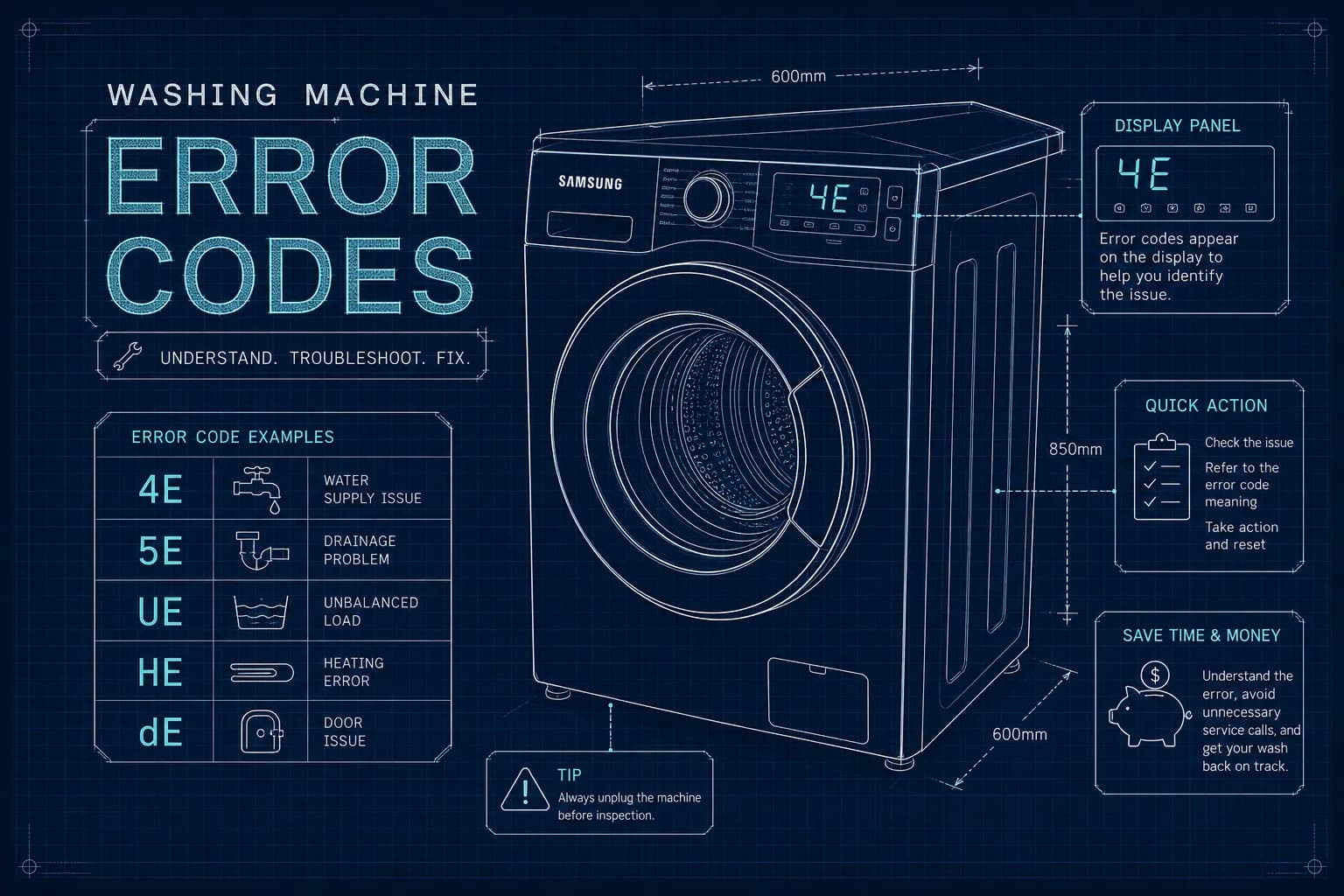
What Do Samsung Washing Machine Error Codes Mean?
Your laundry is sitting in a drum full of soapy water, the cycle has stopped dead, and there's a two-letter code blinking at you from the display. You type it into a search engine, get a dozen contradictory results, and you're none the wiser. Sound familiar? At Alpha Appliances, we regularly see this exact scenario, which is why we've put together this UK reference guide to Samsung washing machine fault codes.
Samsung fault codes are not random. They're the machine's way of pointing directly at a specific problem, whether that's a blocked filter, an unbalanced load, or something that needs a trained engineer. The good news is that the majority of common Samsung washing machine fault codes have a straightforward cause, and a logical sequence of checks resolves most of them before you even need to pick up the phone.
One thing worth knowing before you start: Samsung has used two naming conventions across its UK range. Older models display an E suffix (4E, 5E, 3E), while newer models use a C suffix (4C, 5C, 3C). The underlying fault is identical, don't let a slight letter variation send you down the wrong path.
How Samsung displays faults and what to do first
Before you investigate any specific code, there's a universal first step that Samsung recommends, and it clears a surprising number of transient faults: switch the machine off at the mains socket, not just at the power button. Wait a full minute to allow the control board to fully reset, then switch back on and start a fresh programme. Sensor glitches, brief power fluctuations, and temporary communication errors between components can all trigger a fault code that vanishes completely after a proper power cycle.
If your display is showing a 0, there is no fault to investigate. That's Samsung's drum-clean reminder, which appears after a set number of cycles. Run a cleaning programme and the prompt clears itself. Similarly, some Samsung models flash a drum-clean or maintenance reminder that can look alarming but is entirely routine.
For all other codes, note the exact characters on the display before doing anything else. Some codes share letters but have different numbers, for example, dC and dC2 point to slightly different door issues, so precision matters when you're looking up a fix.
Common Samsung washing machine fault codes: water supply and fill errors
4C, 4E, 4C2 and 4Ed, what these codes are telling you
A 4C or 4E code means the machine cannot fill with enough water within the expected time. The variant 4C2, 4E2, or 4Ed is more specific: the machine has detected that it is receiving hot water rather than cold at the inlet. Samsung flags this separately because a hot-water supply is outside the machine's design assumptions and can affect wash performance.
Checks you can safely carry out at home
Work through these steps in order before calling anyone out. First, confirm the tap or stop valve behind the machine is fully open. This is more common than you might think. Second, pull the machine forward slightly and check the inlet hose for any kinks, a sharply bent hose dramatically restricts the flow. Third, turn off the water supply and unplug the machine from the mains before disconnecting the inlet hose from the back. Locate the small mesh filter inside the water inlet port, remove it carefully with needle-nose pliers, rinse it under running water, and refit it before reconnecting the hose.
Finally, confirm that the machine is connected to a cold water supply only. Samsung washing machines are designed for cold fill. If your 4C2 or 4Ed code persists after these checks, a blocked or faulty water inlet valve is the most likely cause, and that requires a professional repair.
Samsung washing machine fault codes for drainage, door, and load balance faults
5C/5E, the machine can't empty
5C and 5E are among the most commonly reported Samsung washing machine fault codes, and in the majority of cases the fix is straightforward. Locate the small access panel at the bottom front of your machine; it either presses open or releases with a coin slot. Behind it you'll find an emergency drain hose (a short capped tube) and the pump filter cap. Place a shallow dish and a towel on the floor, remove the cap from the emergency drain hose, and allow the remaining water to drain out before going any further.
Once the water is drained, unscrew the pump filter cap anticlockwise and remove it. Clean the filter of any lint, coins, hairgrips, or debris, rinse it under warm water, and refit it clockwise until snug. Also check the main drain hose at the back of the machine for kinks, and confirm the hose end is not pushed too far into the standpipe, which can create a siphoning effect. If the filter is clear, the hose is unobstructed, and 5C or 5E returns, the drain pump itself has likely failed and will need replacement by an engineer.
dC/dE, door not registering as closed
Before assuming a component fault, check the obvious first. Run your hand around the rubber door seal and look for a sock or small item of clothing caught in the gasket. These can prevent the door from closing fully, which in turn prevents the interlock from engaging. Close the door firmly and listen for an audible click from the latch. If the click is absent or sounds weak, or if the code returns after the power cycle, the door interlock switch is the most likely culprit. Interlock switches are a common wear item on any front-loader and require replacement by an engineer.
UE/Ub and Sud, unbalanced loads and excess suds
These two codes are caused by the operator rather than a failing component. UE or Ub appears when the drum detects an unbalanced load during spin; open the door, redistribute the laundry evenly by hand, and restart the spin cycle. Avoid washing a single heavy item such as a duvet or bath mat without balancing it with a few other items. The Sud code means the machine has detected excessive foam and has paused to let it disperse. Switch to a low-suds or HE-rated detergent and measure your dose carefully, most modern machines use far less detergent than people assume.
Motor, heating, and sensor fault codes on Samsung washing machines
3E family, motor faults
The 3C or 3E group, including variants 3E1 through 3E4, all point to a motor-related fault. The safe DIY step is the full mains power cycle described earlier. If the code clears and the machine completes a cycle without it returning, monitor it over the next few washes. If the code comes back, the motor, tachometer, or associated wiring will need inspection by a trained engineer. Samsung's own documentation notes that 3E can mean different things across model series, so consult your specific user manual before drawing conclusions.
HE1 and tE, heating and temperature sensor faults
HE1 points to a fault in the heating element circuit. There's no meaningful home fix beyond the power cycle and confirming your machine is connected to a cold supply (to rule out a 4C2 being misread). The tE1 and tE2 codes point to the thermistor, the temperature sensor. Both require component testing and, in most cases, part replacement. These are not codes to ignore; heating faults and sensor failures can affect water temperature and are safer to assess professionally.
1C/1E and UC/9C, water level sensor and voltage errors
For 1C or 1E, the water level sensor has reported an unexpected reading. The power cycle is the first and safest response. For UC or 9C, the machine has detected a voltage fluctuation in the mains supply. The immediate fix is to plug the machine directly into a wall socket rather than an extension lead or multi-socket adaptor, washing machines draw significant current, and extension leads can cause voltage drops that trigger this code. If either code repeats consistently after these steps, the relevant sensor or your home's electrical supply needs professional assessment.
When the code is telling you to call an engineer
Why some faults go beyond a DIY fix
The codes covered above broadly divide into two categories: those with a clear user-level fix and those that point to a component failure requiring diagnostic tools and parts. Codes involving the motor (3E family), heating circuit (HE1, tE variants), communications between control boards (AE or AC), active leaks (LE or LE1), or repeated water-level failures fall firmly into the second category. Attempting to repair these without the right equipment creates safety risk and, critically, can invalidate your Samsung warranty.
Samsung UK's warranty terms are clear: repairs must be carried out by an authorised service centre, and damage resulting from a repair by a non-authorised person is not covered. Samsung also states explicitly that it does not accept liability for injury or product safety issues caused by repairs that do not follow its instructions. This isn't scaremongering, it's a practical reason to bring in a professional for any fault that goes beyond the filter and hose checks described in this guide.
How Alpha Appliances Ltd handles Samsung fault codes
At Alpha Appliances Ltd, our engineers use diagnostic tools to read the full fault history stored in a Samsung machine, not just the code currently on the display. That history often reveals whether a fault has been recurring over time, which changes the repair strategy considerably. We offer next-day bookings, a fixed-price repair model with no hidden call-out fees, and coverage across Greater London, Berkshire, Surrey, Hampshire, and Dorset.
For Samsung washing machine fault codes that keep returning after the basic checks, or where the machine has stopped mid-cycle with no clear user cause, a professional inspection is the right call. Repair costs vary depending on the fault and parts required, contact us for a quote, and we'll give you a clear, fixed price before any work begins.
A straightforward action plan for Samsung washer troubleshooting
Most Samsung washing machine fault codes point to one of a small number of common issues: a restricted water supply, a blocked pump filter, or a component that has worn over time. Working through the logical checks in this guide will resolve the majority of codes without the need for a call-out. Start with the mains power cycle, then follow the specific steps for whichever code your machine is showing.
For the codes that don't clear, or where the machine is showing signs of a deeper electrical or mechanical fault, a manufacturer-trained engineer saves time, protects your warranty, and ensures the repair is done safely with genuine parts. Don't let a persistent fault code turn into a more expensive problem.
If you're ready to book or would simply like a diagnosis, Alpha Appliances Ltd makes it straightforward. Book online in four steps or call us directly, and we'll confirm your appointment promptly. Our engineers specialise in Samsung appliances and carry the parts to complete most repairs on the first visit.
Need a repair today?
Book a visit from a certified Alpha engineer in minutes.